
Shiftify Workforce for Construction
A better-run site. A crew that trusts you.
Clear schedules for site managers. Easy working times, leave and payslips for crews. Every location, together.
14 days free · Card required · Nothing charged until the trial ends
One team. Two sides of a better workday.
A clear plan for your managers. A better workday for your crew.
Your crew puts in the work. Your managers make the day possible. Give both a clearer way to handle schedules, attendance and leave, so looking after the team becomes part of how you run the business.
For owners, site managers & foremen
Lead a week your crew can rely on.
Be the manager who has the week under control.
Set a recurring working week across your locations and roles. See approved leave, adjust assignments and publish a plan your foremen and crews can follow.
See the day’s attendance before it becomes month-end admin.
Review GPS clock-ins and clock-outs across your locations. Give foremen and the office a shared record to check, instead of collecting separate paper timesheets.
Take approved hours into payday with confidence.
Review recorded hours with your foremen before approving payroll. Keep the path from the working week to payslips connected, so pay conversations start with a record.
For the crew doing the work
Less chasing. More clarity.
Know where to be. Know where you stand.
Crew members see their published schedule, working times and assigned location on their phone. They can check the plan before leaving home, without chasing the foreman for another message.
Ask for leave without chasing the office.
Leave requests, approvals and balances stay together. Crew members can request time off, while managers see the impact on the working week.
Their payslip, without another trip to the office.
Digital payslips put pay information in the crew’s hands. Policies and procedures are accessible too, so everyday questions do not depend on catching someone in the office.
Start with a working week everyone can see
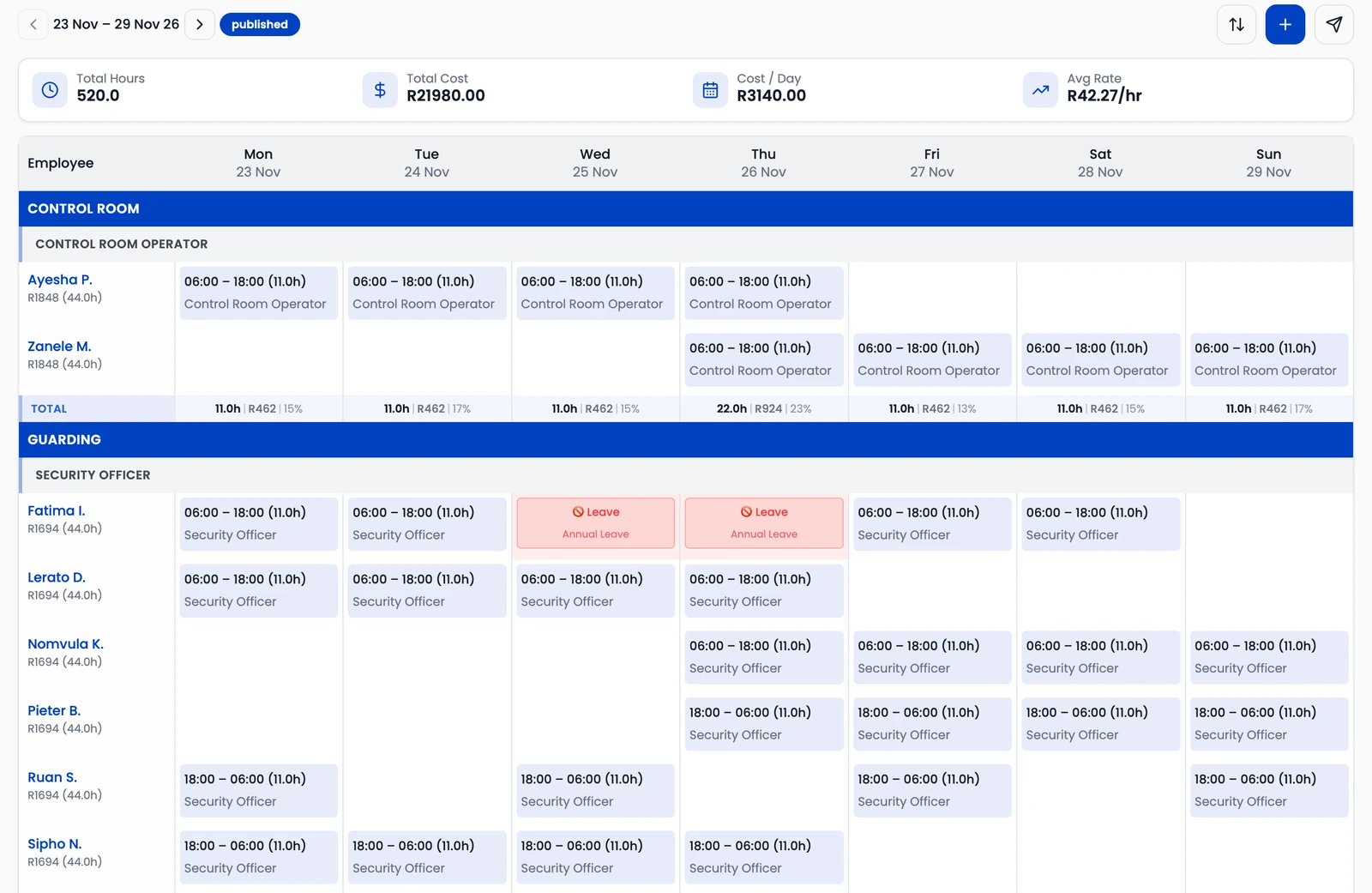
The week ahead. Clear to every crew.
Set the recurring schedule across your locations and roles. When approved leave or a changed assignment affects the week, update the plan before you publish it to the crew.
The crew’s side of the story
A hard day’s work should not end with more admin.
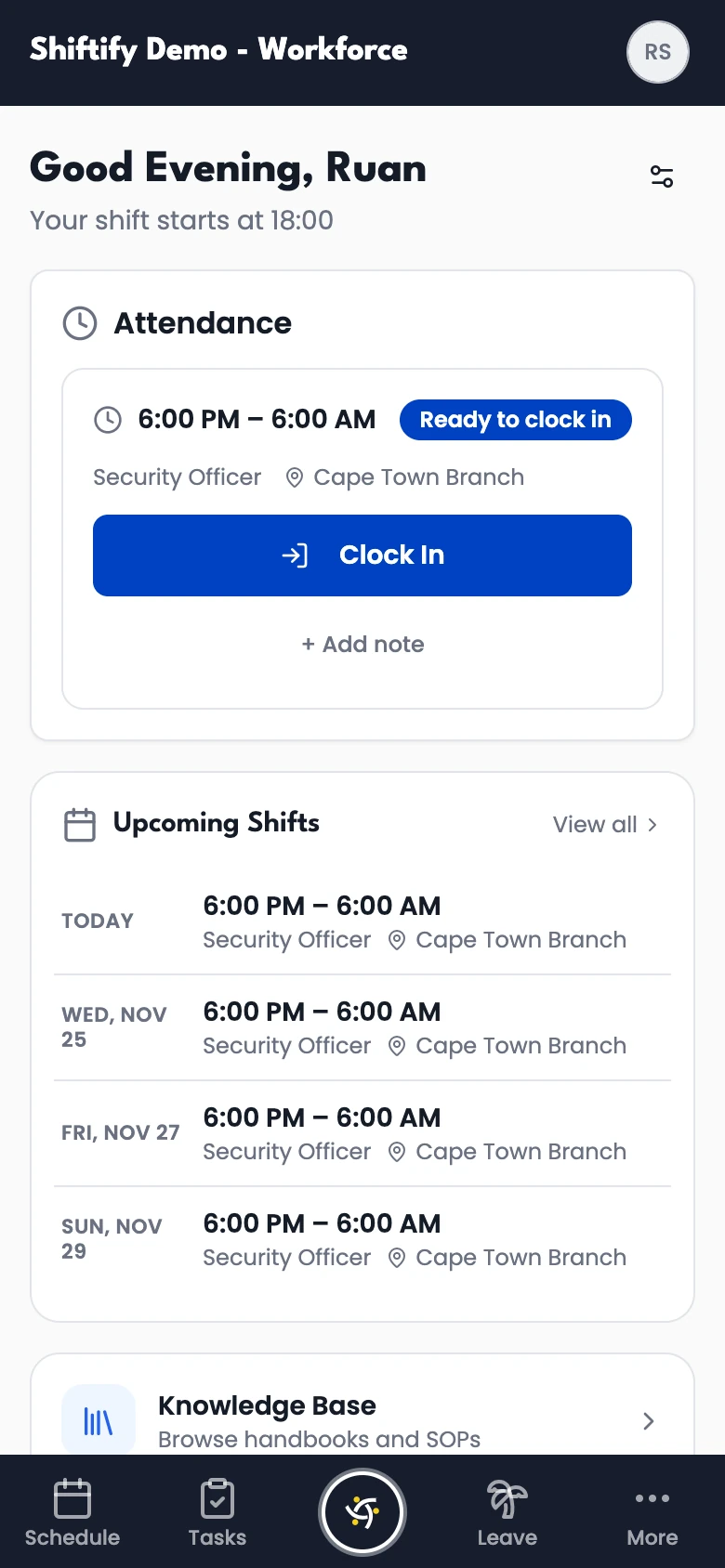
Before leaving home, crew members can check their published working times and assigned location. They clock in and out through the app, request leave in one place and access the information they need without chasing the office.
Tomorrow’s assignment, right there.
Published working times and locations, without another message to the foreman.
Leave without the runaround.
Requests, balances and approvals together, for crew members and managers.
Pay information within reach.
Digital payslips crew members can access without collecting paper from the office.
Make the basics easier. Give your crew a reason to trust the way you lead.
From the working week to the hours you approve
One connected path from the working week to payday.
A schedule in one place, leave in another and hours on paper leave your foremen doing the joining up. Connect the everyday steps so the office and the crew can follow the same working week.
- 01
Plan the working week.
Start with recurring working hours by location and role. Publish the schedule so foremen and crew members can see the week ahead.
Managers have a clear plan. Crews know where to be.
- 02
Adjust when life changes.
Review leave requests, update assignments and publish the revised schedule. Keep approved time off visible as you plan the crew’s next working day.
Foremen can plan around leave. Crew members get a clear answer.
- 03
Capture the day’s work.
Crew members clock in and out through the app. Managers review recorded times, resolve exceptions with their foremen and approve the hours before the next step.
The office has a record to review. Crews can discuss hours with clarity.
- 04
Make payday clearer.
Run payroll from approved hours and send digital payslips to the crew. Keep the working week and payday connected, rather than re-entering the same information.
Managers can follow the hours. Crew members can access their payslips.
Confidence beyond the site
When the office asks about hours, bring a record—not a scramble.
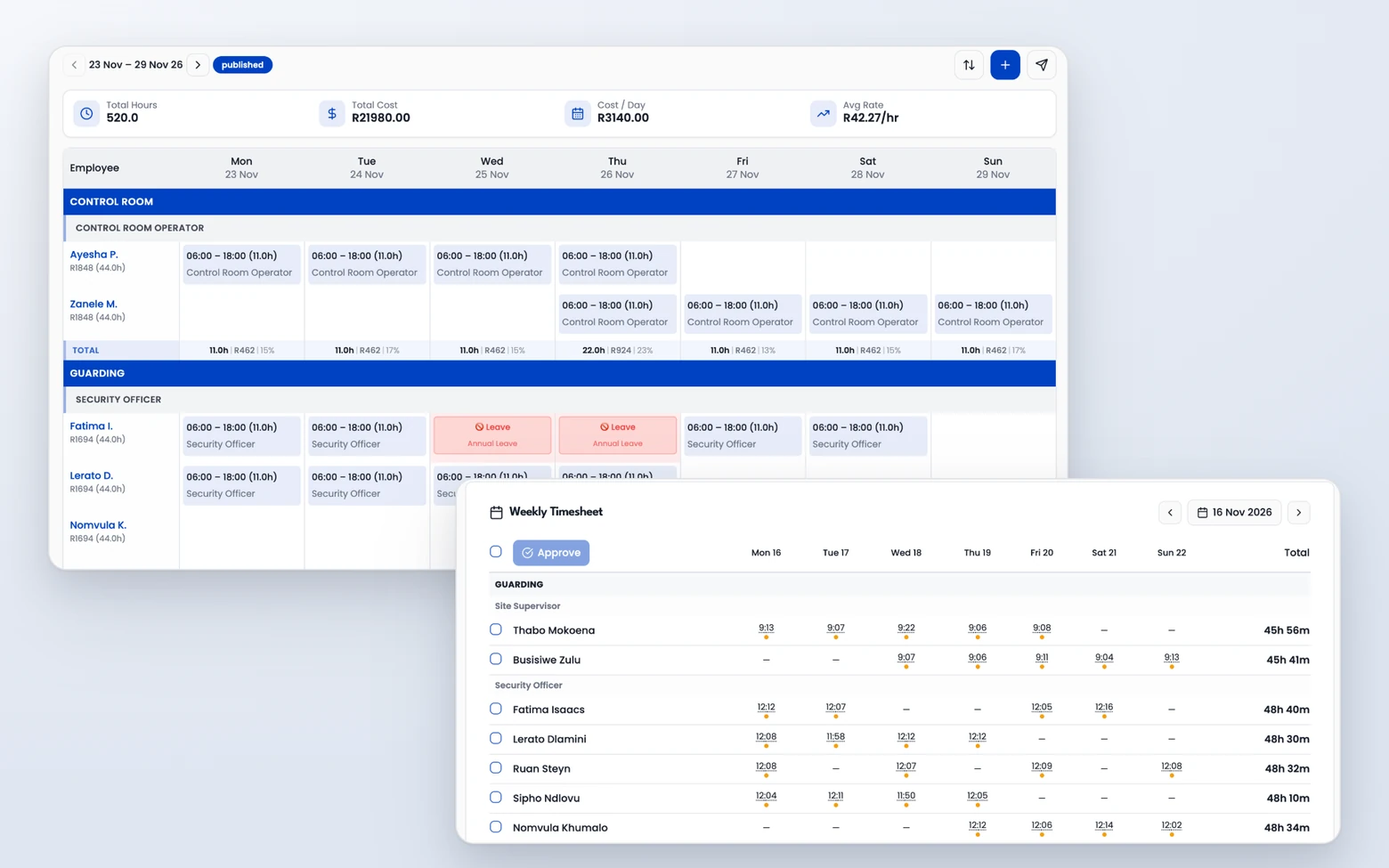
Give foremen, office administrators and business owners a shared starting point. Recorded attendance, approved hours and reports across locations help you review the working week together, instead of asking the crew to explain it again from memory.
- A published working week across your locations.
- Recorded GPS clock-ins and clock-outs for review.
- Approved hours and attendance reports for the office.
Look after the people doing the work
More than a plan. A clearer way to look after your crew.
Keep approved leave and recorded hours in view. Give recurring tasks and checklists a place, and keep policies and procedures accessible in the knowledge base. Managers can follow through; crew members know where to find the basics.
Approved leave in the picture.
See who is away before assigning the next shift.
Hours worth checking.
Review recorded clock-ins and clock-outs before approving timesheets.
Standards everyone can find.
Keep your policies and procedures together in the knowledge base.
Your team still reviews and approves the plan. Confirm construction-sector agreements, pay rules and legal obligations with your adviser. Shiftify supports workforce organisation; it does not replace site safety systems or your legal responsibilities.
Shiftify Workforce
Invest in the crew behind every job.
Give site managers, the office and crew members one connected place for the working week. Start with clearer schedules, attendance and leave, then take approved hours through the right pay process for your region.
- Every location included
- Scheduling, GPS attendance, leave, tasks and checklists
- Knowledge base for policies and procedures, plus reports
- Payroll and digital payslips included
Workforce for your construction team
+ ₹289 per employee in an approved payroll run
Each payroll employee counts once per month. No payroll run? Pay the base price only.
14 days free. Card required at signup. Nothing charged until the trial ends. Billed monthly after the trial; cancel any time.
Before you bring your crew on board
Questions from site managers and crews.
Lead a crew that feels looked after
Give your site managers clarity. Give your crew confidence.
Make the working week clearer. Make leave easier to manage. Give your crew a connected path from approved hours to payslips.
14 days free · Card required · Nothing charged until the trial ends